
ChatGPT Business Hub: How to Claim Your Business Profile and What It Won't Do
OpenAI launched Businesses in ChatGPT in beta. Here is how to claim your profile, verify with Persona, what the mention numbers actually mean, and what claiming will not do.
 The GPTify Team · · 7 min read
On November 10, OpenAI launched Businesses in ChatGPT, an official beta that lets companies claim a verified profile, keep operational details current, and see how often ChatGPT references them. It represents the first official way for a company to tell ChatGPT directly who it is. This guide covers what launched, how to claim your profile step-by-step, what the analytics numbers actually mean, and what to do this week—along with the explicit limits OpenAI has placed on the program.
What OpenAI Launched
Businesses in ChatGPT consists of two distinct components, both in beta:
- Business Hub: A management dashboard where companies claim their listing, update operational details, connect product feeds, and view mention analytics. This is the feature accessible to most eligible businesses today.
- Business Agents: A branded interactive chat inside ChatGPT where potential buyers can ask questions about products and services based on company-supplied documentation. For now, this is limited to eligible e-commerce and online service businesses in the United States.
OpenAI reports that ChatGPT reaches over 1.2 billion users weekly. When a business appears in a conversational answer, users can tap to open its ChatGPT profile and, if the business operates an agent, start a separate branded conversation with it.
Who Can Claim a Profile
Any eligible business located where ChatGPT is available can claim a profile, provided you own the company or are authorized to represent it. You do not need an active advertising account or a ChatGPT Enterprise agreement. Existing Enterprise customers and advertisers can also coordinate directly with their OpenAI account representative.
Two immediate boundaries to keep in mind:
- Local stores and restaurants: Currently limited to claiming existing listings in the United States.
- Parent brands and franchises: Each brand is managed separately. Claiming a parent company does not automatically claim regional locations or sister brands, and centralized multi-brand management is not yet available.
How to Claim Your Profile (Step-by-Step)
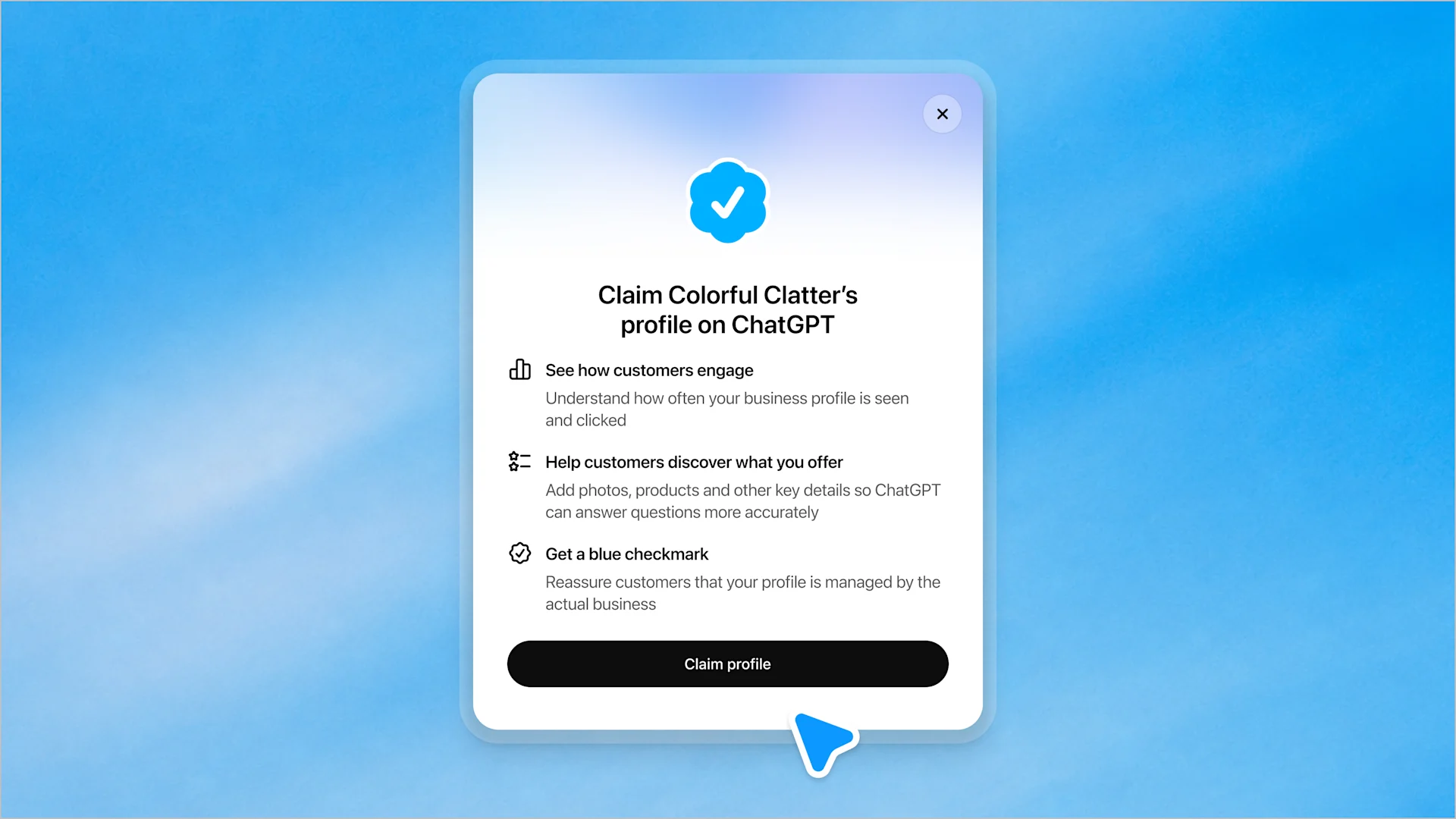
The verification sequence follows OpenAI's official Help Center guidelines:
- Open Business Hub: Sign in to your ChatGPT account, navigate to Business Hub in the left sidebar, and search for your organization by business name.
- Select a verification method: Options include a business phone number (SMS or automated voice call), corporate email domain verification, DNS TXT record addition on your website's root domain, or a direct Shopify OAuth connection. If IT or engineering manages your DNS, request a TXT record.
- Await initial review: OpenAI validates the initial claim details and either approves domain ownership or requests supplementary business documentation.
- Complete identity verification with Persona: Before you can publish edits, view mention insights, or deploy an agent, you must verify your identity through Persona. This requires a government-issued photo ID, proof of business registration, and verification of authority to act on behalf of the company.
The verified blue checkmark appears only after the Persona verification step is reviewed and approved. Simply initiating a claim does not confer the verified badge.
Dispute resolution: If your business profile has already been claimed mistakenly or maliciously by another party, navigate to the profile, open the three-dot menu (•••), and choose Dispute ownership to trigger an identity audit with Persona.
What You Can Update
Once approved, admins can edit:
- Official website URL and core business description.
- Primary product or service categories.
- Company logo and custom cover photo.
- Delivery terms, warranty statements, and return policies.
- Self-service product feeds (including Shopify catalogs) with live pricing and item availability.
Edits undergo automated and manual review before going live. Crucially, OpenAI clarifies that ChatGPT will continue to synthesize other public web sources when generating answers; your profile is treated as an authoritative primary source, not the sole exclusive reference.
What the Insights Show (And What They Don't)
Business Hub analytics provide rolling 28-day visibility across three metrics:
- Mentions: For online businesses, a mention counts when ChatGPT links to or references your website. A casual mention of your brand name without a link does not increment this count. For local brick-and-mortar listings, it records when your location card appears in an answer.
- Website Clicks: How often users click outbound links from ChatGPT to your domain. OpenAI notes that outbound clicks do not measure confirmed site visits, time on site, or form conversions.
- Discovery Topics: Broad categorical themes and subject clusters where your business appeared. These do not expose individual user prompts, buyer identities, or conversational transcripts.
Three essential analytics caveats:
- A blank tile is not necessarily zero: Blank or grayed-out cards usually indicate activity below OpenAI's privacy threshold, or that data collection for your domain is still indexing.
- User conversations remain private: Companies never receive user chat logs, prompts, or personal identifying data.
- Independent verification remains essential: To see whether ChatGPT mentions translate into real pipeline, build a dedicated channel segment in Google Analytics 4 for traffic arriving from
chatgpt.com, and compare it against your CRM demo forms. If you also want to benchmark how often competing models cite your brand across automated evaluation queries, tools like RankPrompt track brand presence across ChatGPT, Perplexity, Claude, and Gemini over weekly intervals.
Business Agents: What They Can and Cannot Do
Eligible US e-commerce and SaaS companies can configure an interactive Business Agent. When users tap on a business citation, they can launch a dedicated, labeled sub-chat with the company's agent.
Key operational boundaries:
- No checkout or transactional completion: Agents cannot directly process credit card transactions, execute API purchases, or check proprietary fulfillment status. They answer product and use-case questions, then hand off via link to your website.
- Strict anti-manipulation policy: Business Agents must strictly adhere to OpenAI's Business Agent Policies—meaning false scarcity, deceptive countdown timers, and persistent follow-up after a user indicates disinterest are strictly prohibited.
- Clear separation: Sponsored agent placements and organic answers remain visually and programmatically separated.
Four Things Claiming Does NOT Do
OpenAI is transparent about the structural boundaries of the program:
- It does not guarantee higher ranking or algorithmic preference: Claiming allows you to manage the accuracy of your official data. It does not manipulate ChatGPT's neutral recommendation logic.
- Advertising does not alter independent answers: Sponsoring an agent or placing an ad does not bias how ChatGPT evaluates your products in organic comparison questions.
- The blue badge is not an endorsement: OpenAI explicitly notes the verified badge certifies identity and domain control, not an endorsement of product quality.
- Published profiles cannot be deleted on demand: OpenAI Support cannot manually remove, unpublish, or delete an approved business profile. Only unpublished draft profiles can be discarded. Ensure your company description and URLs are verified internally before clicking submit.
What Revenue Teams Should Do This Week
- Establish your baseline today: Prompt ChatGPT, Gemini, and Perplexity with the top 5 high-intent evaluation questions a prospective buyer asks in your category. Document whether your brand appears, which competitors are cited, and whether descriptions are accurate.
- Identify your verification owner: Determine who in your company will complete Persona verification, and verify that you have DNS access or a corporate email domain ready.
- Standardize brand messaging: Align your positioning statement, category definitions, and customer service policies across your website and social profiles before submitting.
- Complete Persona immediately upon claiming: Avoid leaving claims in an unverified state; once approved via Persona, profiles publish automatically.
- Delegate administrative access properly: Add agency partners and internal team members directly inside Business Hub via their individual ChatGPT accounts; never share admin logins.
- Schedule a 30-day reassessment: Compare your baseline prompt responses against your Business Hub insights 30 days after verification to measure citation lift.
Operational Checklist
- Baseline recorded: Documented exact ChatGPT citations for top 5 buyer queries.
- Verification lead designated: Corporate officer or authorized representative identified.
- Domain authentication ready: Access to DNS management (for TXT record) or corporate email confirmed.
- Identity documentation organized: Government ID, entity incorporation documents, and proof of authority prepared for Persona.
- Core company assets aligned: Logo, description, and website URLs reviewed.
- GA4 attribution configured: Referral filter established for inbound traffic from
chatgpt.com. - Calendar review scheduled: 30-day check-in booked to audit 28-day mention analytics.
Primary Sources: OpenAI Announcement: "Introducing Businesses in ChatGPT" (November 10, 2026); OpenAI Help Center: "Setting up your business on ChatGPT".
Disclosure: This article contains natural referral links for tools we actively evaluate. GPTify may receive compensation if you register or purchase, at no additional cost to you. Commercial partnerships do not determine our editorial standards or tool evaluations.